Skip to product information
1 of 1

Darkglass

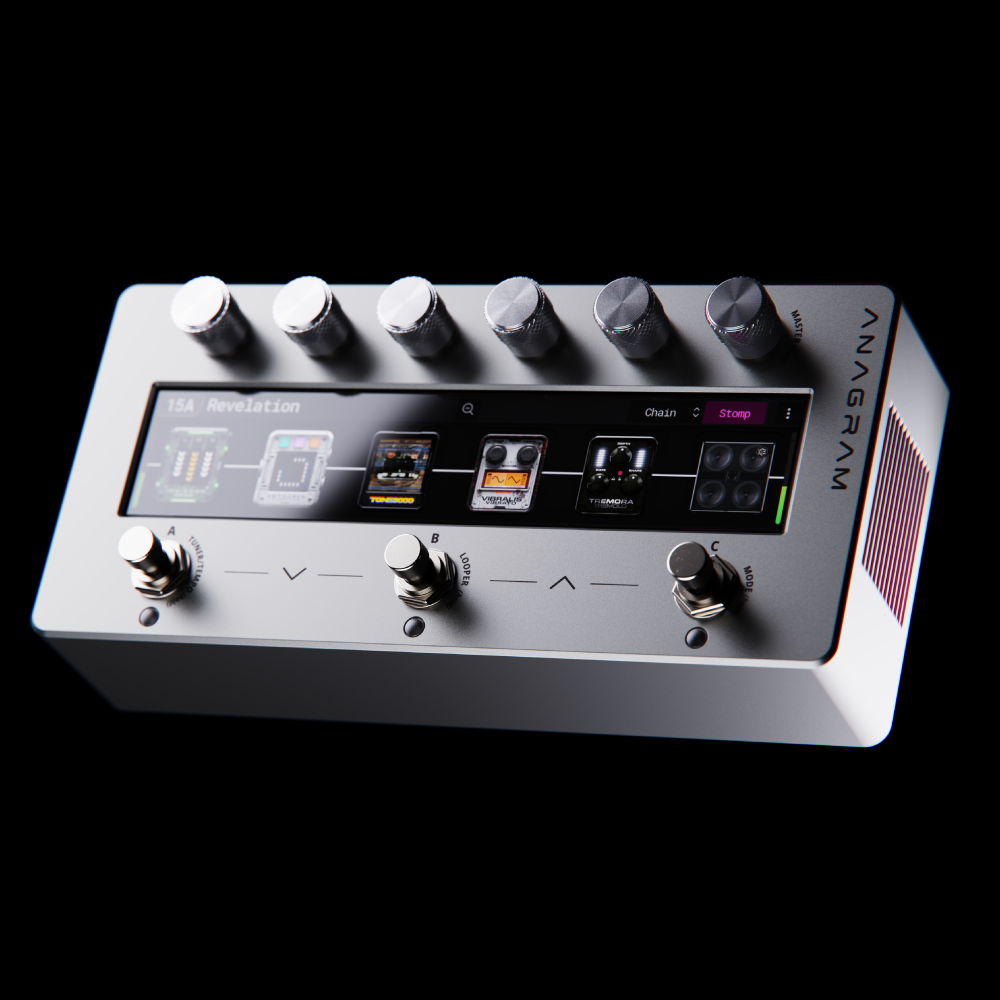
Anagram Multi-Effects Unit

Anagram Multi-Effects Unit

Regular price $1,199.99 USD
Regular price Sale price $1,199.99 USD
Sale Sold out
Shipping calculated at checkout.
  • Powered by a state-of-the-art hexacore processor and 32-bit/48kHz audio processing
  • Studio and stage-grade I/O connectivity
  • USB Audio, MIDI and Bluetooth capabilities
  • Ultra-low latency, pristine clarity, and studio-grade sound
  • Comes loaded with a curated collection of distinct preamps, 50+ customizable effects, a looper, tune
  • Neural Amp Modeler (NAM) integration provides access to 10,000+ of high-quality amps and effects
  • Players can create signal chains in series (12 blocks) or parallel (24 blocks)
  • Includes carry case
View full details

Anagram Marketplace

Anagram is no longer just a multi-effect you use; It becomes something you can be a part of. A growing new community of engineers, developers, producers, and musicians who share and shape what they create in one place.

Explore the Marketplace

Rewriting the Boundaries of Bass.

Anagram rethinks the way you shape your tone. With ultra-low latency, extensive customization, and seamless integration into the Darkglass ecosystem, it supports both studio precision and stage performance. Built for ease of use, Anagram not only refines your tone but also unlocks new possibilities for your creativity.

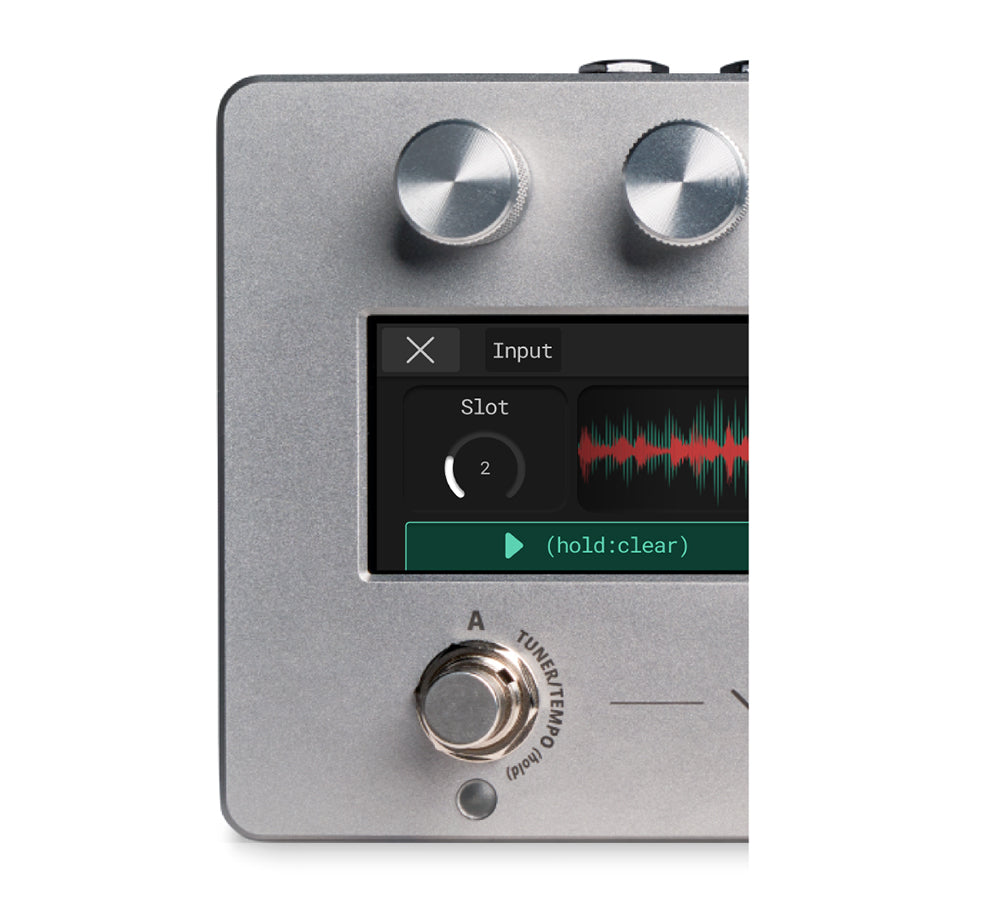
  • Looper

    LOOPER

    With one‑touch control, start, stop, and overdub without interrupting your creativity.

    Your loops run independently of presets, switch tones without stopping playback!

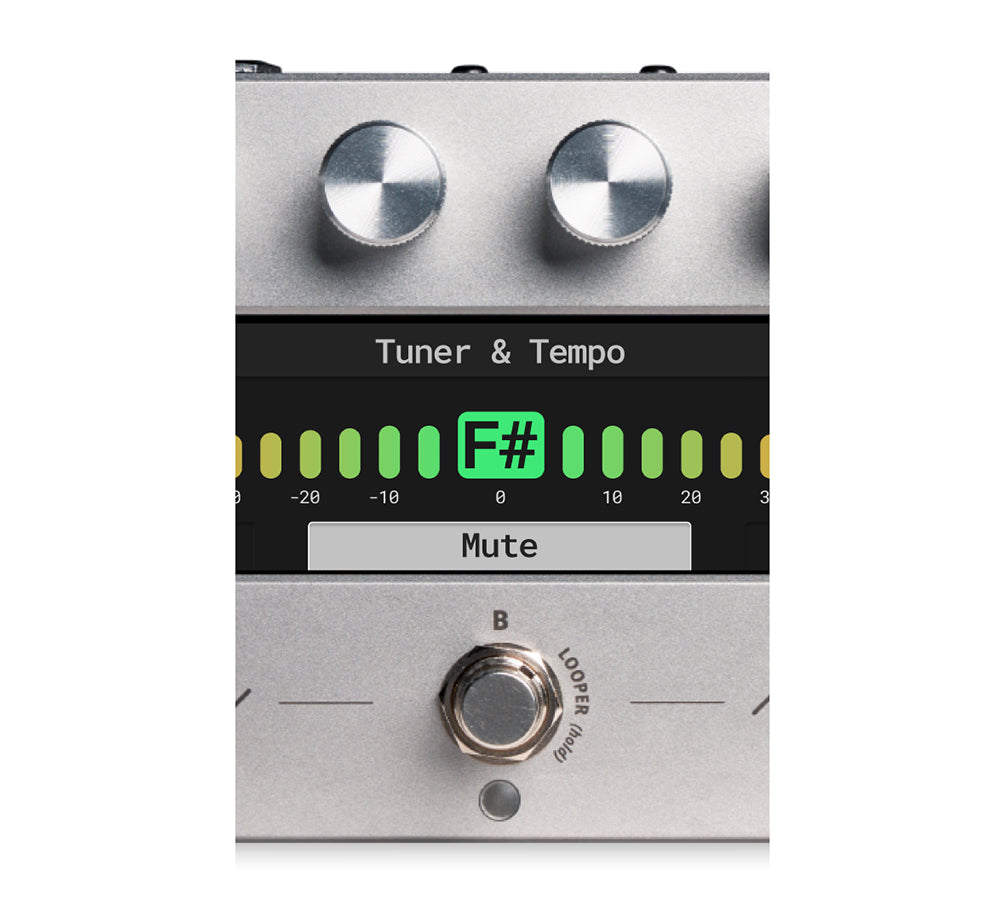
  • Tuner

    TUNER/TEMPO

    Tune your bass with precision, then set your global tempo without skipping a beat.

    Keep your delays locked to the groove. Turn the knob to set BPM between 40 and 300.

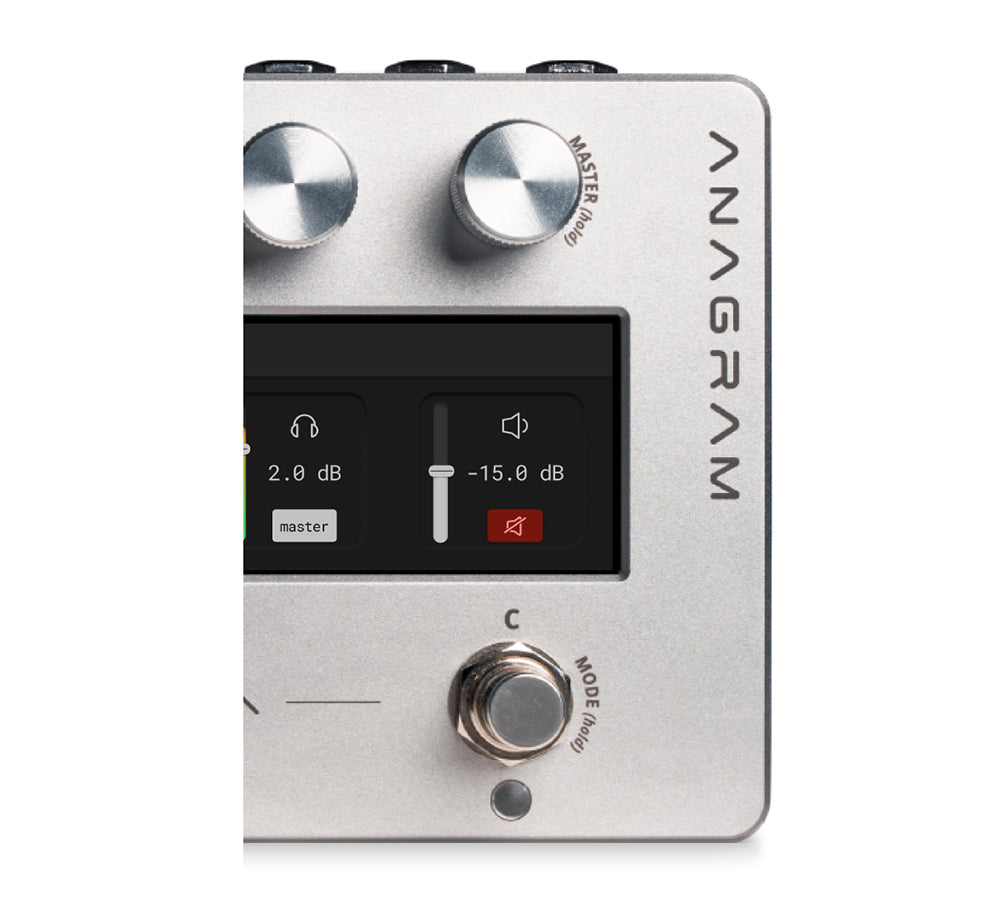
  • Mixer

    MIXER

    Set levels for line outs, XLRs and headphones output, all from a single view.

    Fine-tune your overall tone with the Global EQ and add clarity across your entire rig.

1 of 3

Shape the Chaos

Entropia is a multiband distortion plugin for the Anagram platform. Bend, break, and rebuild your sound across three independent bands: low, mid, and high. With precision control, handpicked tone templates, and endless distortion options, Entropia transforms stability into motion and sound into energy.

Video thumbnail
  • Multi-effect platform

    Optimized for bass players.

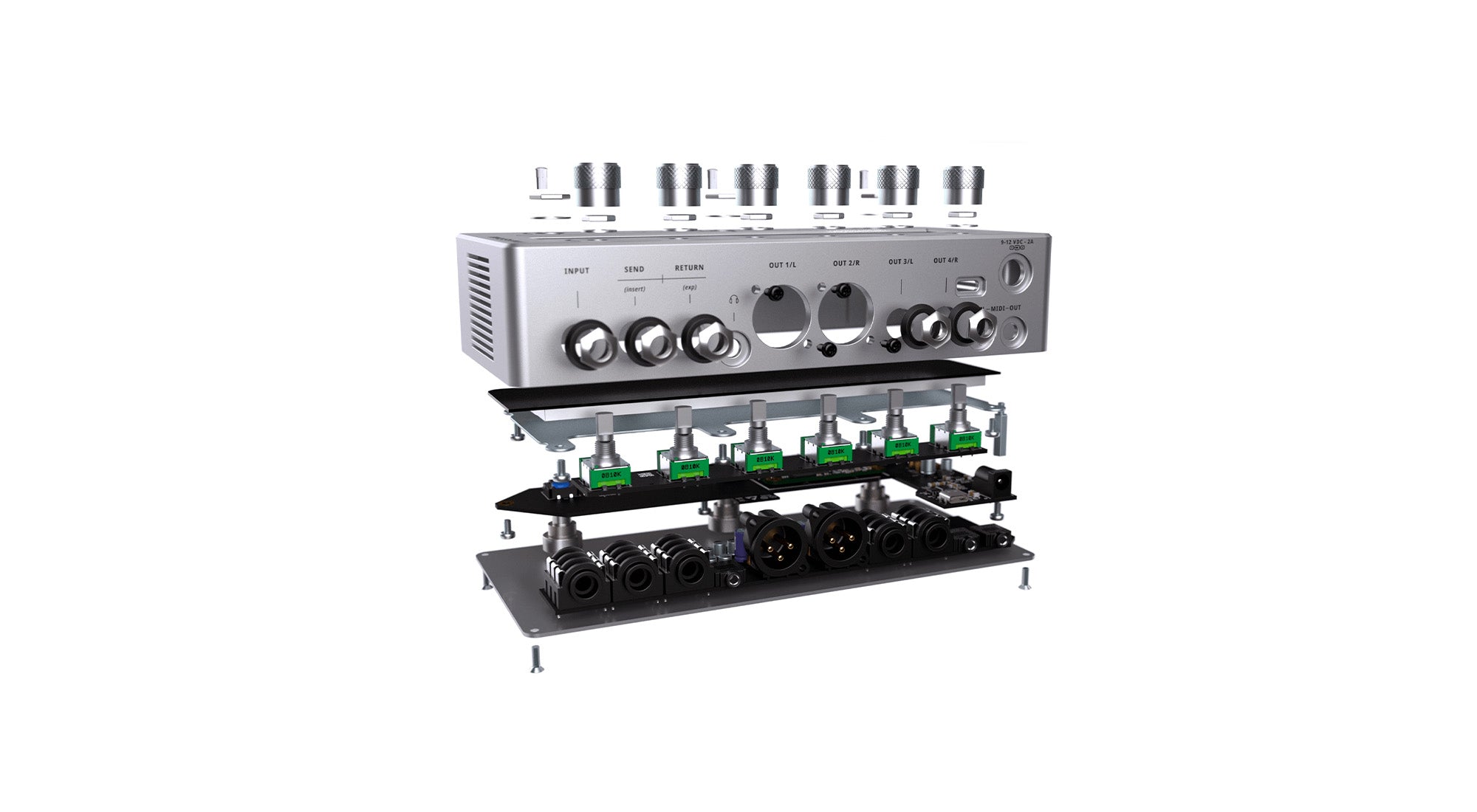
  • Six-core DSP architecture

    For complex effect chains with low latency.

  • Real-time audio processing

    Managed by a dedicated operating system.

  • Curated DSP blocks

    And effects specifically for bass.

  • Support

    For standard-size NAM and AIDA-X neural models and IRs.

  • Upgradeable architecture

    For future DSP blocks, and third-party content.

  • Add up to 24 simultaneous effects blocks

    For complex, parallel signal chains.

  • 7-inch high-brightness touchscreen

    For clear and intuitive control.

  • Three footswitches

    For live performance control.

  • Six high-resolution endless rotary knobs

    For precise parameter adjustments.

  • Flexible input

    And output configuration.

  • Suited for both

    Live and studio environments.

1 of 18
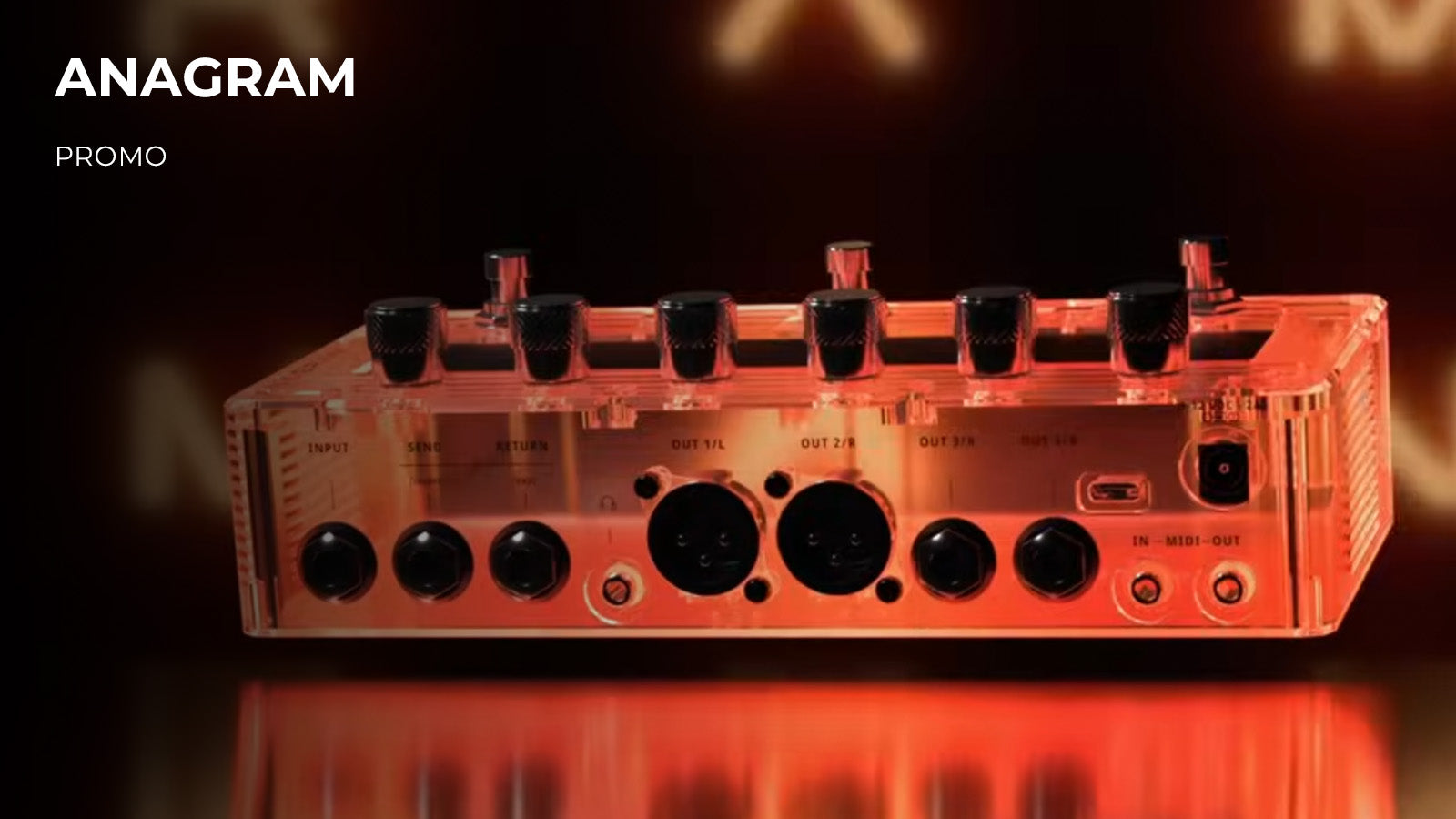
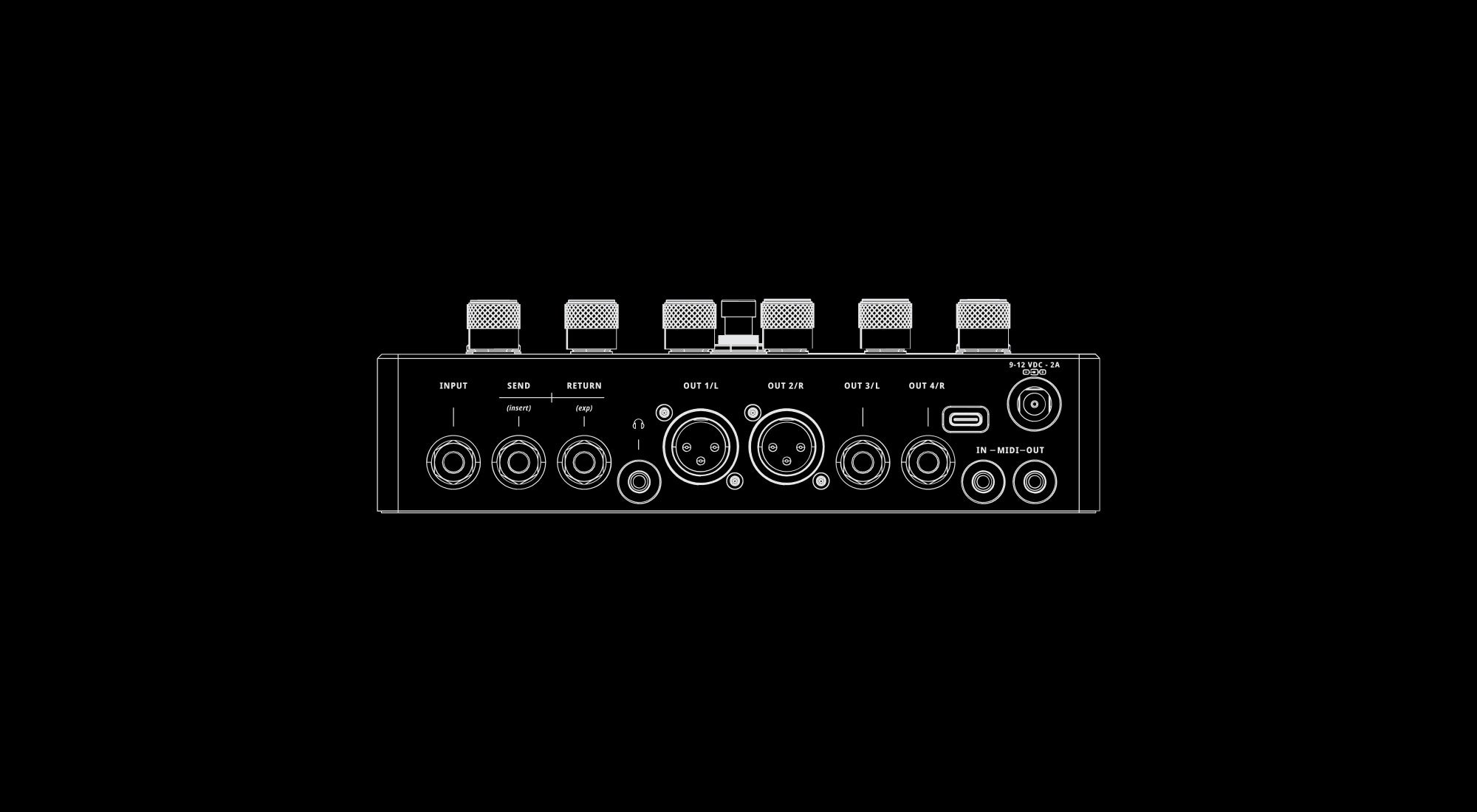
  • Input

    The primary input for connecting an instrument or the output from a pedalboard via a 1/4” mono jack.

  • Send (Insert)

    A dual-function 1/4” jack that supports either a stereo send or a mono insert, allowing for the creation of an effects loop.

  • Return (Exp)

    A dual-function 1/4" jack that supports either a stereo return or an expression pedal input. For correct operation, the expression pedal must be wired to send its signal to the Ring of the TRS cable plug. This is technically known as RTS (Ring-Tip-Sleeve) wiring.

  • Headphone Output

    A 3.5mm stereo headphone jack featuring three adjustable gain levels, ensuring optimal volume and clarity for any pair of headphones.

  • Main Outputs

    Two 1/4″ outputs and two XLR outputs with the latter featuring an integrated, software-controlled ground lift. These outputs allow for stereo effects, split wet/dry signals, or multiple amplifier connections, delivering an immersive sonic experience.

  • USB-C Port

    The USB-C port enables Anagram’s USB audio interface capabilities and allows interaction with the Darkglass Suite app for software updates and access to the Darkglass library. USB MIDI is also supported.

    Additionally, Anagram can be powered using a USB-C power supply that supports Power Delivery (PD), such as compatible laptop chargers, phone chargers, or power banks.

  • MIDI In

    A 3.5mm TRS (Type A) jack for connecting an external MIDI controller.

  • MIDI Out

    A 3.5mm TRS (Type A) jack for sending MIDI data from Anagram.

  • 9-12V DC

    Please use a minimum of 1.7 A regulated power supply (9-12 VDC center negative).
    Insufficient current will result in the Anagram not functioning correctly or even preventing the Anagram from turning on.
    Anagram includes a 9V DC power adapter.

1 of 16
Anagram-Sound-Graphic_1b1ac8d2-788c-4c3f-b3f5-08e28ff3d819

The sound you imagine.

Anagram’s multicore DSP engine and modern OS work together to handle real‑time audio and host a hand‑picked library of DSP blocks. Explore our bass‑focused effects, load neural models like NAM and AIDA‑X, or sculpt your tone with genuine cabinet impulse responses, all delivered with minimal latency.

  • Amps and Cabs

    Explore a curated selection of classic and modern bass amps alongside bass and guitar cabinet simulations.

  • Overdrive & Distortion

    Access Darkglass’s renowned drive circuits and authentic distortion captures.

  • EQ, Filters & Dynamics

    Sculpt your sound with equalizers, envelope filters, compressors, and noise gates.

  • Modulation & Pitch

    Add movement with flangers and choruses and explore tonal heights with octavers and pitch shifters.

  • Delays & Reverbs

    Add depth with digital or analog delay effects, or choose from our selection of reverbs.

  • Utilities & Loaders

    Manage your routing and signal flow with handy utilities and system blocks.

  • KosmOS 1.17.0

    KosmOS is the Operating System (OS) running inside the Anagram. It manages real-time audio processing, user interaction, and system control. Built on a modular Linux framework, it hosts effect blocks, neural models, and impulse responses with low latency and precise timing. It provides a unified structure for all Anagram functions (signal routing, control mapping, and content management) while remaining expandable through OS updates and DSP blocks.

    To perform a manual firmware update without the requirement of the Suite software, please find the information below:

    1. Power on the unit
    2. Click the ⁝ button on the top-right corner of the screen
    3. Click the About button and then click the Manual Update
    4. Connect you unit to your computer using a USB-C cable
      Wait for unit to appear as “mass storage device”
    5. Copy the downloaded tar file to the “mass storage device” (do not extract contents, just copy as-is)
    6. Safely eject the “mass storage device” from your PC. If using macOS, unplug the USB-C cable (not the power cable!)


    Download here!

  • Changelog

    [1.17.0]

    Tone3000 block and integration

    • New Tone3000 block in renamed Loaders & Utilities category
    • Browse Tone3000 Tonepacks
    • Browse NAM A2 or IR files in the Tonepack
    • Connect to Darkglass Suite 6.8.0 or newer to get more Tone3000 Tonepacks
    • Relocated User Cabinet, Neural Amp and Neural Pedal to renamed Loaders and Utilities category

    Support for Backup and Restore features with Suite 6.8.0 or newer

    MIDI updates

    Preset and Scene MIDI Out: With this update, you can send out MIDI messages when activating a preset or a scene. The messages can be configured on a per-preset and per-scene basis. To send messages when activating a preset, go to the Preset Manager and select the new settings button to open the “Preset Settings” screen. To send messages when activating a scene, go to the Scene Manager and select the new settings button to open the “Scene Settings” screen. Tapping a preset or scene in the foot bar also opens its Preset Settings or Scene Settings screen. Renaming can now be done from these settings screens or from the Preset Manager and Scenes Manager screens.

    You can add multiple messages of two types: Program Change (PC) and Control Change (CC). There is also a special “Slot Number” option. For a Program Change, the preset or scene slot number becomes the program number. For a Control Change, the slot number becomes the value while the controller number stays fixed.

    Controlling the Looper via MIDI: When you send a MIDI message for controlling the looper, the Anagram automatically opens the looper screen. The looper can be controlled with these MIDI CC messages:

    • Looper Enter/Exit — CC110 — Any Value
    • Looper Play/Stop — CC111 — Any Value
    • Looper Rec/Overdub — CC112 — Any Value
    • Looper Clear Slot — CC113 — Any Value
    • Looper Undo — CC114 — Any Value
    • Looper Redo — CC115 — Any Value
    • Looper Select Slot — CC116 — Value 1–126 loads slot 1–126
    • Looper Next Slot — CC117 — Any Value
    • Looper Previous Slot — CC118 — Any Value


    New MIDI Settings

    • USB MIDI — Controls if MIDI is received from and transmitted to USB
    • MIDI Through — Controls if incoming MIDI messages are passed through to MIDI out, with routing options for 3.5mm, USB, 3.5mm+USB, or none
    • Program Change Through — Controls if incoming MIDI PC messages are passed through to MIDI out


    Bugfixes and system optimizations

SUPPORT + DOCUMENTATION

DISCLAIMER

In the interest of continuous improvement, specifications are subject to change without notice. If you have any questions, please don’t hesitate to contact us at www.darkglass.com

The manufacturer claims that the above product fulfills the requirements as set by EN55013, EN55020, EN60555-2, EN60555-3, RoHS, WEEE.